What Is MCP — and When It Beats Building Your Own Integrations
The Model Context Protocol in plain terms: why it's spreading so fast, how it differs from a normal API integration, and the honest answer to when you should use it versus wiring things up yourself. From a team running 195 tools through a single MCP server.

Jun 20, 2026
MCP went from a niche Anthropic announcement to something every AI vendor supports in about a year. If you've heard the term and quietly wondered whether it's a real shift or just the acronym of the month, this is the plain-terms version — what it actually is, why it caught on so fast, and the honest answer to the only question that matters in practice: when should you use MCP instead of just building the integration yourself?
We run a single MCP server with around 195 tools in production — up from the 91 we detailed in 91 Tools, One Server — feeding everything from a WhatsApp order bot to internal agents, so this is from the trenches, not the spec sheet.
What is MCP, exactly?
MCP — the Model Context Protocol — is an open standard that gives AI models a uniform way to call tools and read data from external systems. Think of it as a standard plug between a model and your software: instead of teaching each AI app how to talk to each of your systems, you expose your systems once, and any MCP-capable model can use them.
Introduced by Anthropic in late 2024 and since adopted across the ecosystem (OpenAI, Google, and most major AI tools), it's a simple client-server design: an MCP server exposes tools (actions the model can take), resources (data it can read), and prompts; an MCP client (Claude Desktop, Cursor, an agent, your own app) connects and uses them over a standard JSON-RPC interface. The model doesn't learn your API — it asks the server "what can I do here?" and calls what's offered.
Why is everyone suddenly talking about MCP?
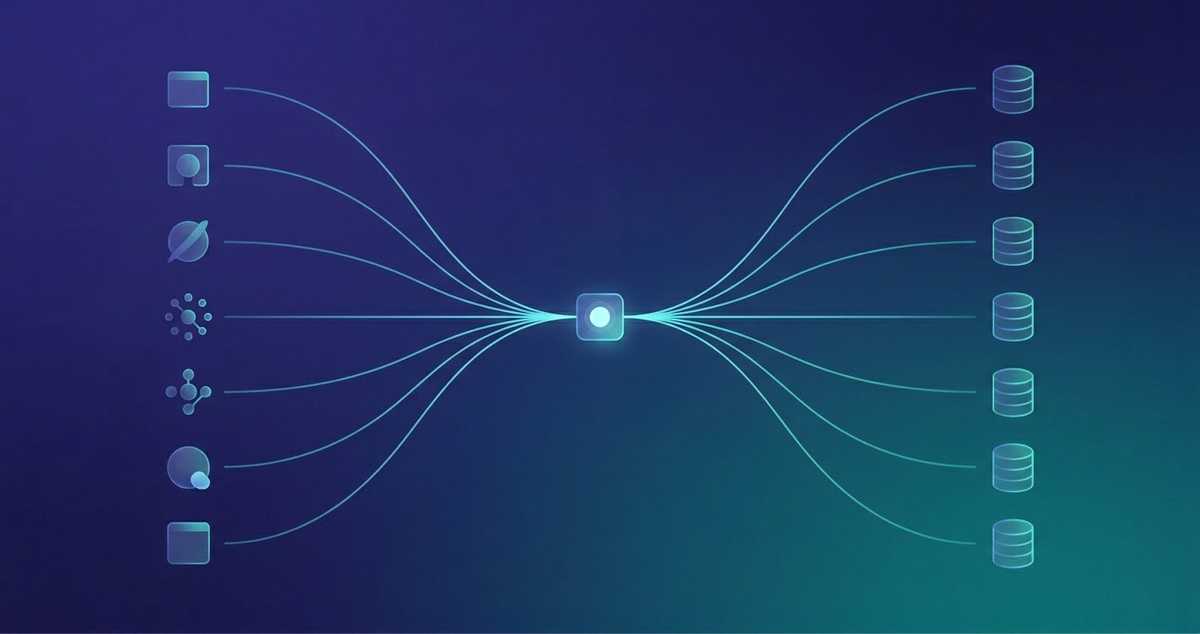
Because it turns an integration mess into a standard. Without it, connecting M AI apps to N systems is an M×N problem — every app needs custom glue for every system. MCP collapses that to M+N: expose each system once as a server, and every client can use it.
That's the same shape of win the USB standard delivered for hardware, and it's why adoption snowballed: once the big model vendors and the popular AI dev tools all spoke MCP, building a server became the obvious way to make your system usable by all of them at once, instead of betting on one. The network effect did the rest.
How is MCP different from a normal API integration?
It doesn't replace your APIs — it puts a uniform, model-friendly layer in front of them. Your REST endpoints and databases stay exactly where they are; the MCP server is a thin translation layer that exposes them as typed tools any AI client can discover and call.
The practical difference is who does the adapting:
- Custom integration: you write bespoke code for each AI app to talk to each system, and you maintain all of it. Add a new AI tool and you start over.
- MCP: you describe each system's tools once, with schemas. Discovery (
what tools exist?), invocation, auth, and validation are handled by the protocol. Any MCP client — today's and next year's — can use it with zero bespoke glue.
The model also stops needing to "know" your API. It reads the tool list at runtime and picks what fits, so you can add or change tools without retraining or rewriting prompts.
When should you use MCP instead of building your own integration?
Use MCP when more than one AI client will touch the system, when you're exposing many capabilities, or when humans/agents drive the calls. Build (or keep) a plain integration when it's a single, deterministic, machine-to-machine pipeline with no model in the loop.
The honest decision table:
| Situation | Reach for MCP | Keep a custom integration |
|---|---|---|
| Consumers | Several AI clients (Claude, Cursor, your app, agents) | One fixed program, no AI |
| Surface | Many tools you want discoverable & reusable | One or two calls, hardcoded |
| Who drives it | A model or a human-in-the-loop agent | A deterministic pipeline/cron |
| Change rate | Tools added/changed often | Stable, rarely touched |
| Latency profile | Interactive, human-speed | Ultra-low-latency, high-throughput M2M |
MCP isn't free — it's a server to run, secure, and version. For a single nightly ETL job, that's overhead with no payoff; write the script. But the moment you have more than one AI consumer, or you want the same capabilities available in Claude Desktop and an agent and a chat bot, MCP stops being optional and starts being the thing that saves you from maintaining the same integration five times.
What does MCP look like in production?
One server, many clients, a lot of typed tools. Our MCP server exposes around 195 tools across eight modules (CRM, scheduling/invoicing, spreadsheets, Linear, bank statements, a wine database, and more) behind a single JSON-RPC endpoint.
The payoff is exactly the M+N promise: the same tool layer powers Claude Desktop and Cursor for the team, internal agents, and the WhatsApp/Telegram bot that turns messages into orders. We built each capability once and every AI surface got it for free. It's also how we wrap legacy systems with a modern, conversational interface without touching their core — the MCP server is the adapter.
We've written up the hard-won lessons separately — flat tool lists beat hierarchies, dry-run everything, health-check at startup, one server beats one-per-domain for a small team — in 91 Tools, One Server.
The takeaway
MCP is not magic and it's not a replacement for your systems. It's a standard plug: describe your tools once, and every AI client — present and future — can use them without bespoke glue. The question isn't whether MCP is impressive; it's whether you have more than one AI consumer and a surface worth reusing. If you do, it's the cheapest integration decision you'll make. If you don't, write the script and move on.
One thing has changed since this was written: the authorization spec now lets a non-technical user connect Claude or ChatGPT to your server by pasting a URL and signing in, with no API key and no config file. We covered that handshake, and what it costs to implement, in your users can now connect Claude to your software themselves.
We design and run MCP servers as the connective tissue between AI and the systems businesses already use. If you're weighing MCP versus a pile of custom integrations, let's talk — or see the infrastructure we build.